
magepsycho / magento2-storepricing
magepsycho/magento2-storepricing
Magento 2 Store View Pricing

Magento 2 Store View Pricing




Overview
Magento 2 Store View Pricing extension helps store owners to set up different product prices (cost, regular, special prices, etc.) per store view.
By default, product prices can be configured to apply at either the global or website level.
If applied to the global level, the same price is used throughout the store hierarchy. If applied to the website level, the same product can be available at different prices from stores that are associated with different websites.
With this extension, product prices can also be configured at the store view level. This means the same product can have different prices per store view.
Key Features
- Can setup product prices (
cost,regular,special prices, etc.) at the store view level - Compatible with Magento 2 Regular, Special & Tier Price Importer extension
Feature Highlights
Set Prices at Store View Level
With this extension, the store admin can set different prices for the product as per store view.
All these price types can have multiple values
- Regular Price
- Special Price (along with the from/to dates)
- Cost
- Tier Price / Group Price (will be supported soon)
- etc.
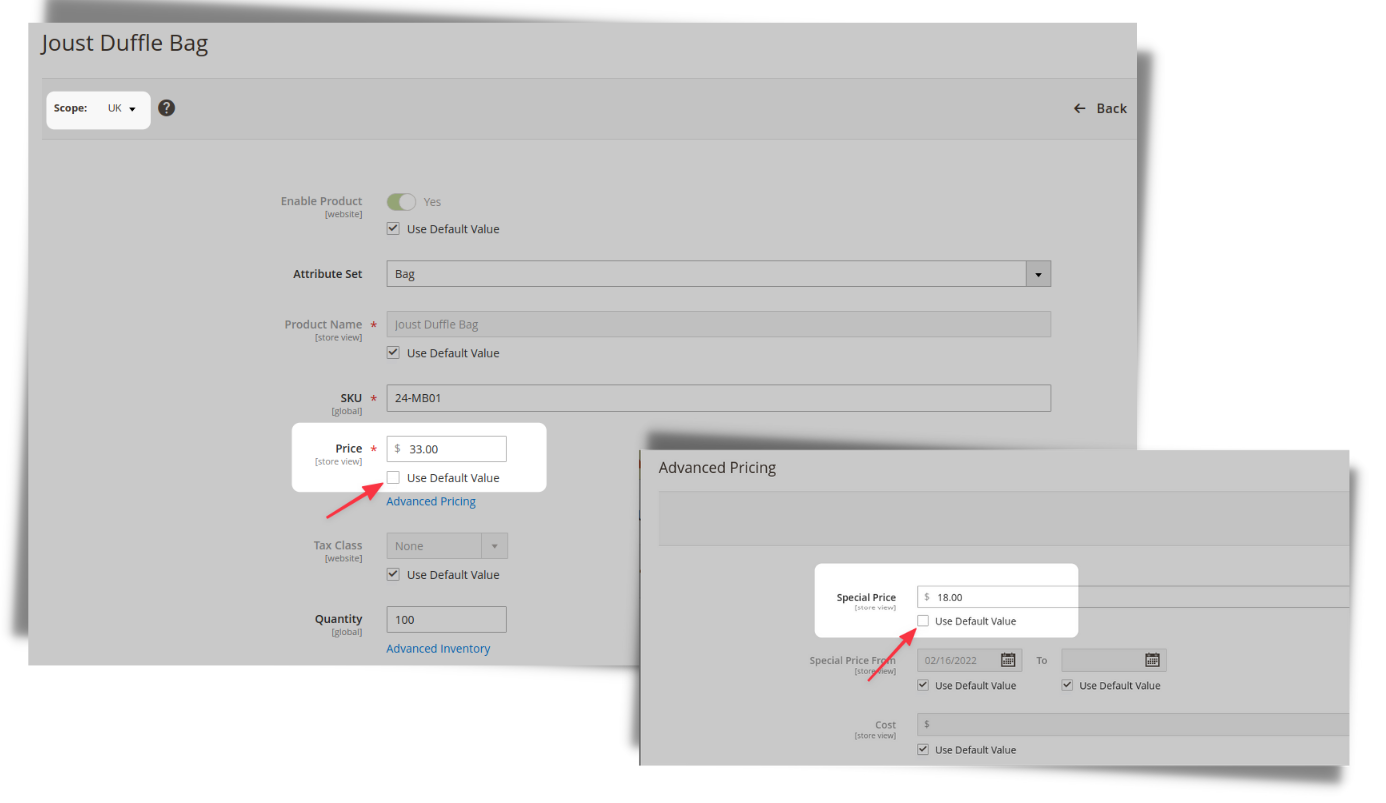
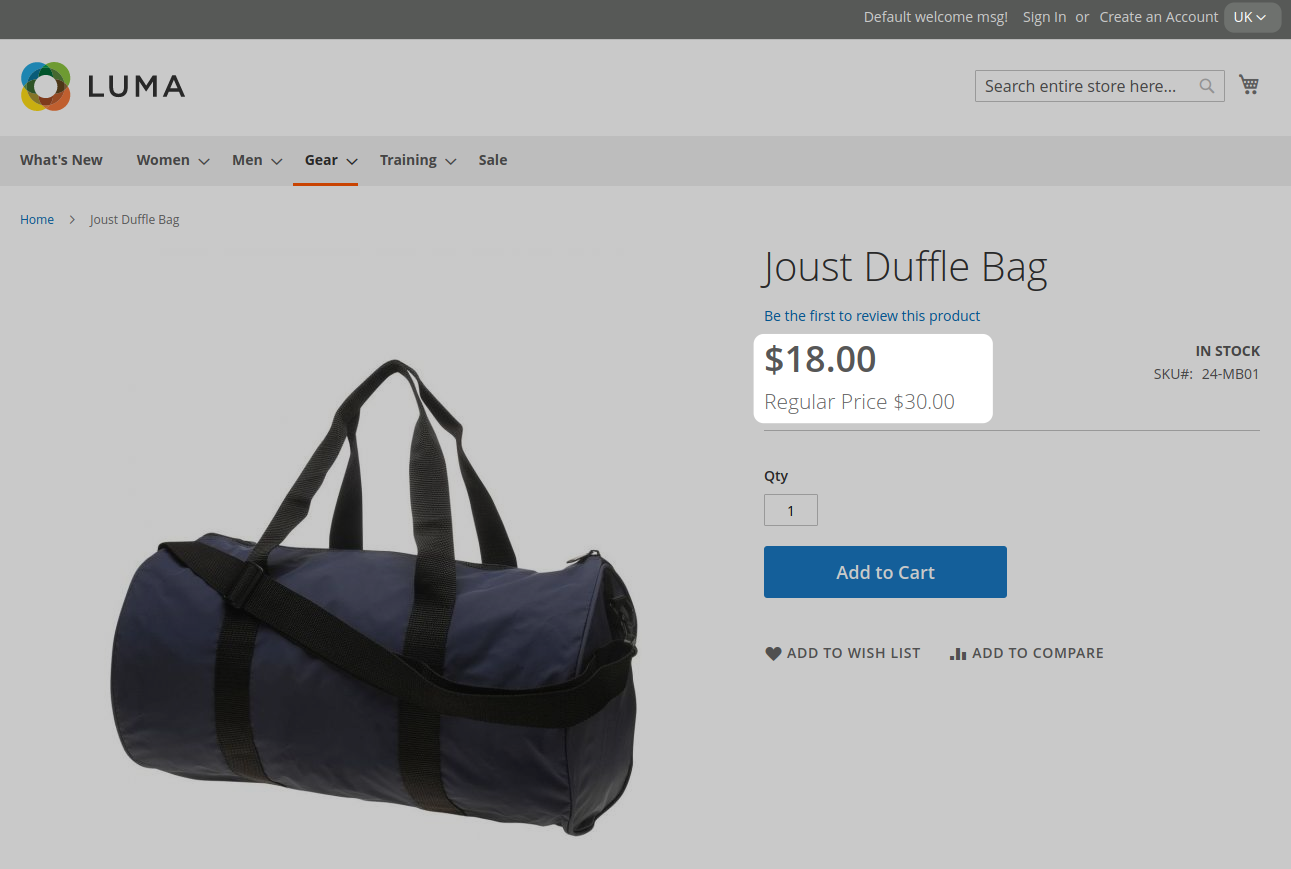
By default, the scope of product pricing is global.
🛠️ Installation
1 Using Composer (Preferred)
composer require magepsycho/magento2-storepricing
2 Using Modman
modman init
modman clone [email protected]:MagePsycho/magento2-store-view-pricing.git
3 Using Zip File
- Download the Extension Zip File
- Extract & upload the files to
/path/to/magento2/app/code/MagePsycho/StorePricing/
After installation by either means, activate the extension with following steps
- Enable the module
php bin/magento module:enable MagePsycho_StorePricing --clear-static-content
php bin/magento setup:upgrade
- Flush the store cache
php bin/magento cache:flush
- Deploy static content - in Production mode only
rm -rf pub/static/* var/view_preprocessed/*
php bin/magento setup:static-content:deploy
- Go to Admin > MARKETING > Discount Limiter > Manage Settings
Live Demo:
Changelog
Version 1.0.0 (2022-01-19)
- Initial Release.
Authors
- Raj KB

Contributors
To Contribute
Any contribution to the development of Magento 2 Store View Pricing is highly welcome.
The best possibility to provide any code is to open a pull request on GitHub.
Need Support?
If you encounter any problems or bugs, please create an issue on GitHub.
Please visit our store for more FREE / paid extensions OR contact us for customization / development services.
No changelog yet
The vendor hasn't published a changelog. Tagged releases appear in the Versions tab.
No dependencies declared
This package's composer.json doesn't declare any required, suggested, replaced, or conflicting packages.
No QA results yet
QA pipelines haven't run for this version. Compatibility and quality results appear here once the vendor publishes a tagged release that gets ingested.
More from magepsycho
View vendorMagento 2 Disable Customer Registration
Magento 2 Preview / Go To Catalog Extensions
Magento 2 Discount Amount Limiter
Magento 2 FREE SEO Suite
Turn an existing module into recurring revenue.
If you already maintain a Magento 2 module on GitHub or GitLab, listing it on Packagento takes about five minutes. We mirror your tags, handle distribution signing, and route paid licenses through Stripe Connect, so you can keep shipping the way you already do.