
firebear / importexportfree
firebear/importexportfree
Improve default Magento 2 Import / Export features https://firebearstudio.com/blog/
Magento 2 - Improved Import / Export extension
We’ve started a new project aimed at improving the default Magento 2 import / export functionality. Although this process is significantly refined now, it still lacks some important features; therefore we are developing this Magento 2 extension. Now, you can easily import product custom options, product images from remote URL, or tier prices out-of-the-box, but there is still room for improvement.
The Improved Import / Export Magento 2 extension provides the ability to import a CSV file with product data and product images from a remote FTP server or a cloud storage such as Dropbox, Box, or Google Drive. There is also an opportunity to perform the export of products and images to the same location. Due to a scheduled cron job feature, the extension offers automated product updates from a cloud storage. Thus, you can easily connect your Magento 2 store with 3th party tools, warehouses, product inventory management (PIM) systems, etc. As you can see, Improved Import / Export for Magento 2 is useful for automated product stock status updates as well as any other product attribute updates.
Improved Import features
Free version features
The free version of Improved Import offers the following features:
- product images import from Dropbox or via Custom URL and FTP
- csv file import from Dropbox or via Custom URL and FTP
Full paid version features
The paid one adds:
- Google Drive and Box integration (the free version supports only Dropbox)
- Scheduled cron job for csv file import from all supported sources. This is a great solution for keeping product stocks and data updated automatically.
- CSV file product export to Box, Google Drive, Dropbox, or other sources via FTP
- Product images export to Box, Google Drive, Dropbox, or other sources via FTP
- Import categories only from separated CSV file
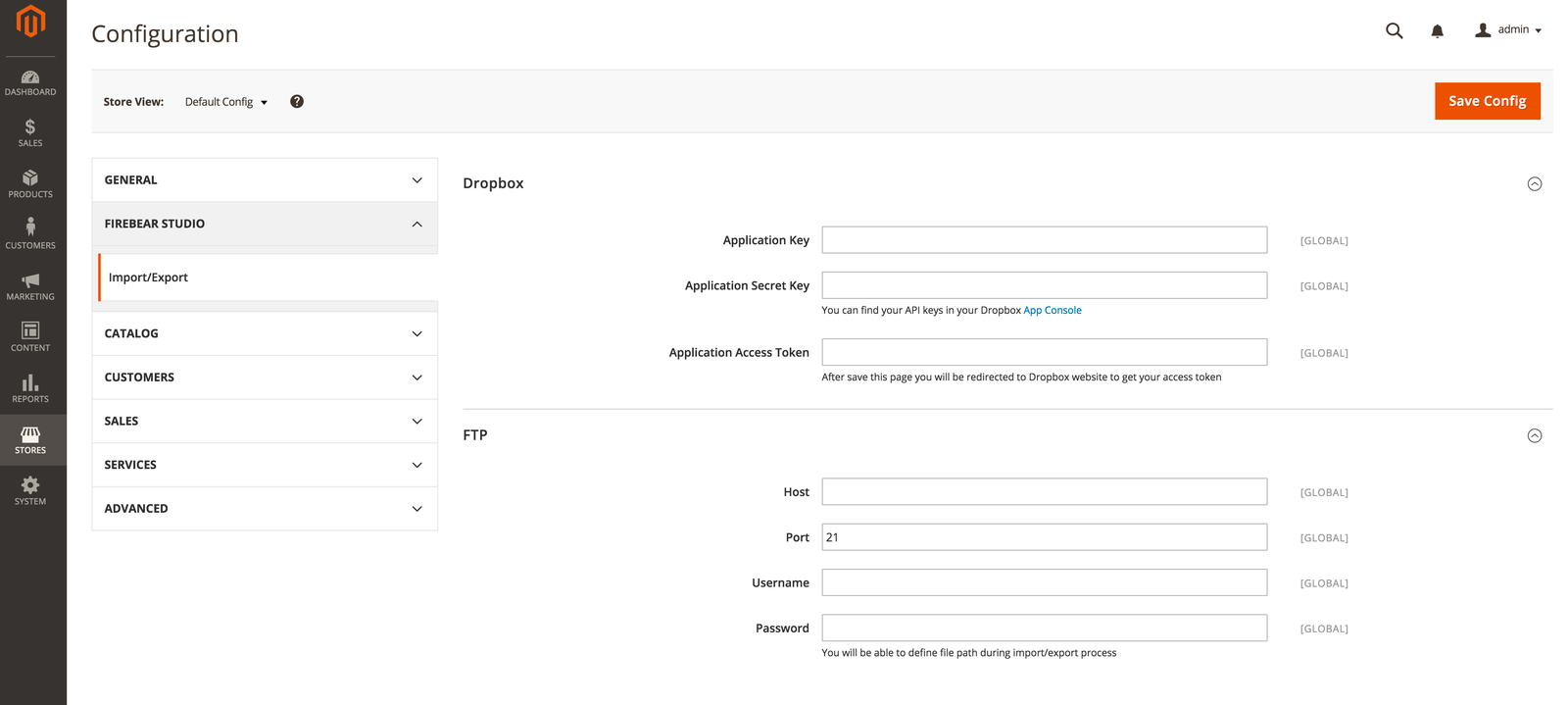
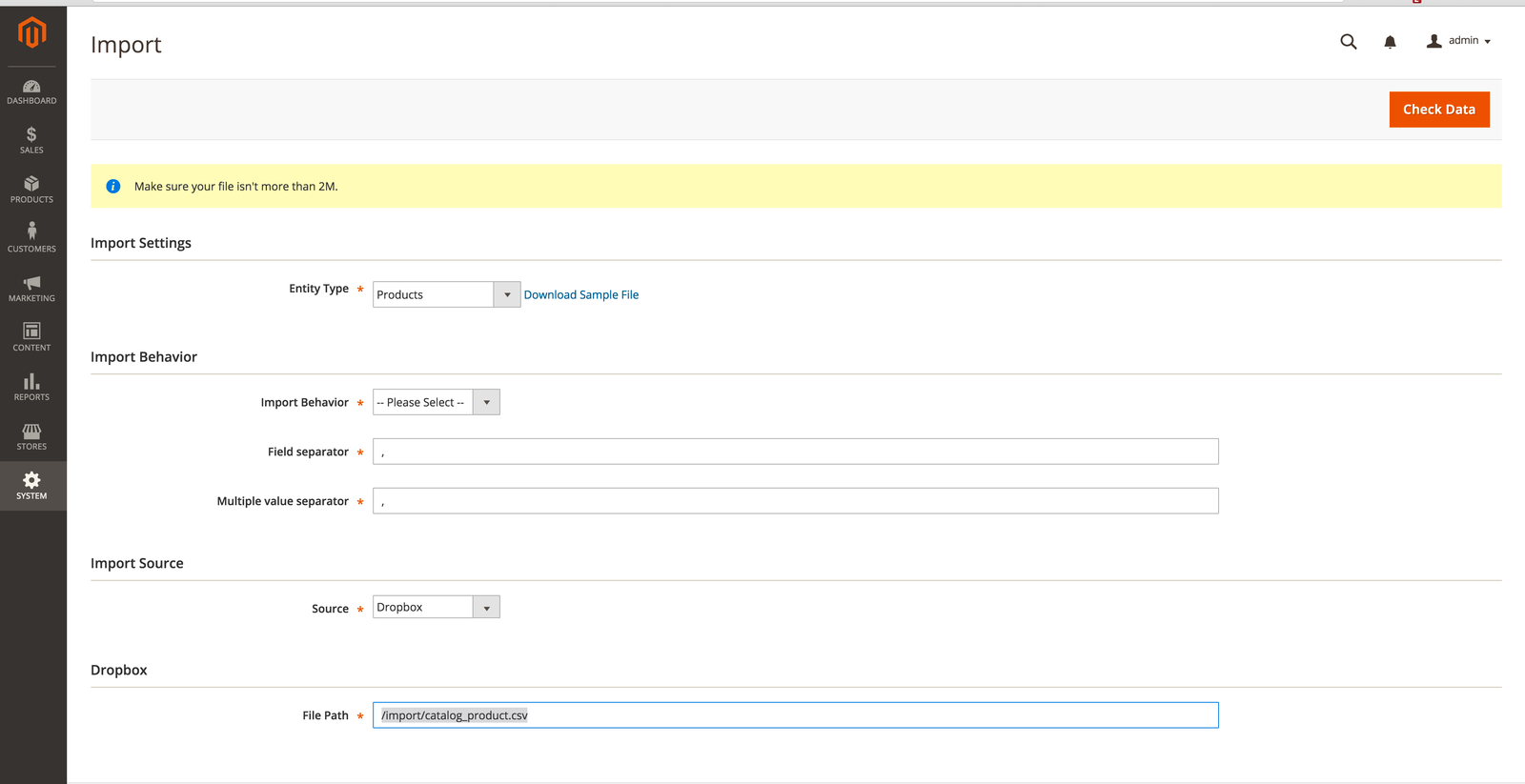
For further information, read this post: The Improved Import / Export Magento 2 Extension by Firebear
No changelog yet
The vendor hasn't published a changelog. Tagged releases appear in the Versions tab.
| Version | Stability | QA Status | Released |
|---|---|---|---|
| 1.1.0 | stable | Fail | 2019-12-12 14:03:19 |
| 1.0.13 | stable | Not tested | 2018-06-27 10:30:27 |
| 1.0.12 | stable | Not tested | 2018-06-27 10:16:13 |
| 1.0.11 | stable | Not tested | 2018-04-09 11:58:43 |
| 1.0.10 | stable | Not tested | 2017-10-03 17:48:15 |
| 1.0.9 | stable | Not tested | 2017-08-30 18:01:56 |
| 1.0.8 | stable | Not tested | 2017-08-07 20:02:54 |
| 1.0.7 | stable | Not tested | 2017-08-07 16:55:13 |
| 1.0.6 | stable | Not tested | 2017-08-05 14:25:53 |
| 1.0.5 | stable | Not tested | 2017-08-03 20:34:21 |
| 1.0.4 | stable | Not tested | 2017-08-03 17:38:31 |
| 1.0.3 | stable | Not tested | 2017-01-21 09:09:50 |
| 1.0.2 | stable | Not tested | 2016-04-07 14:58:29 |
| 1.0.1 | stable | Not tested | 2016-04-07 14:30:06 |
| 1.0.0 | stable | Not tested | 2016-04-07 14:24:28 |
Requires 2
| Package | Constraint |
|---|---|
| php | ~5.5.0|~5.6.0|~7.0.0|~7.1 |
| kunalvarma05/dropbox-php-sdk | 0.2.* |
No QA results yet
QA pipelines haven't run for this version. Status appears here once the vendor publishes a tagged release that gets ingested.
Turn an existing module into recurring revenue.
If you already maintain a Magento 2 module on GitHub or GitLab, listing it on Packagento takes about five minutes. We mirror your tags, handle distribution signing, and route paid licenses through Stripe Connect, so you can keep shipping the way you already do.