
berrypath / magento2-berrypath-product-feed
Scheduled product feeds for Magento 2 shopping channels, marketplaces and product discovery.
Product Feed for Magento 2
Magento 2 module for scheduled product feeds for shopping channels,
marketplaces and product discovery.
Create separate feeds for shopping channels, product discovery tools,
marketplaces and guided-selling platforms. Each feed can target its own store
view, channel type and output format, including XML, CSV and JSON. Feed files
are generated to Magento media storage, can be refreshed manually or through
Magento cron, and can be enriched with selected product attributes and
channel-specific options such as Google Shopping shipping data.
Screenshots
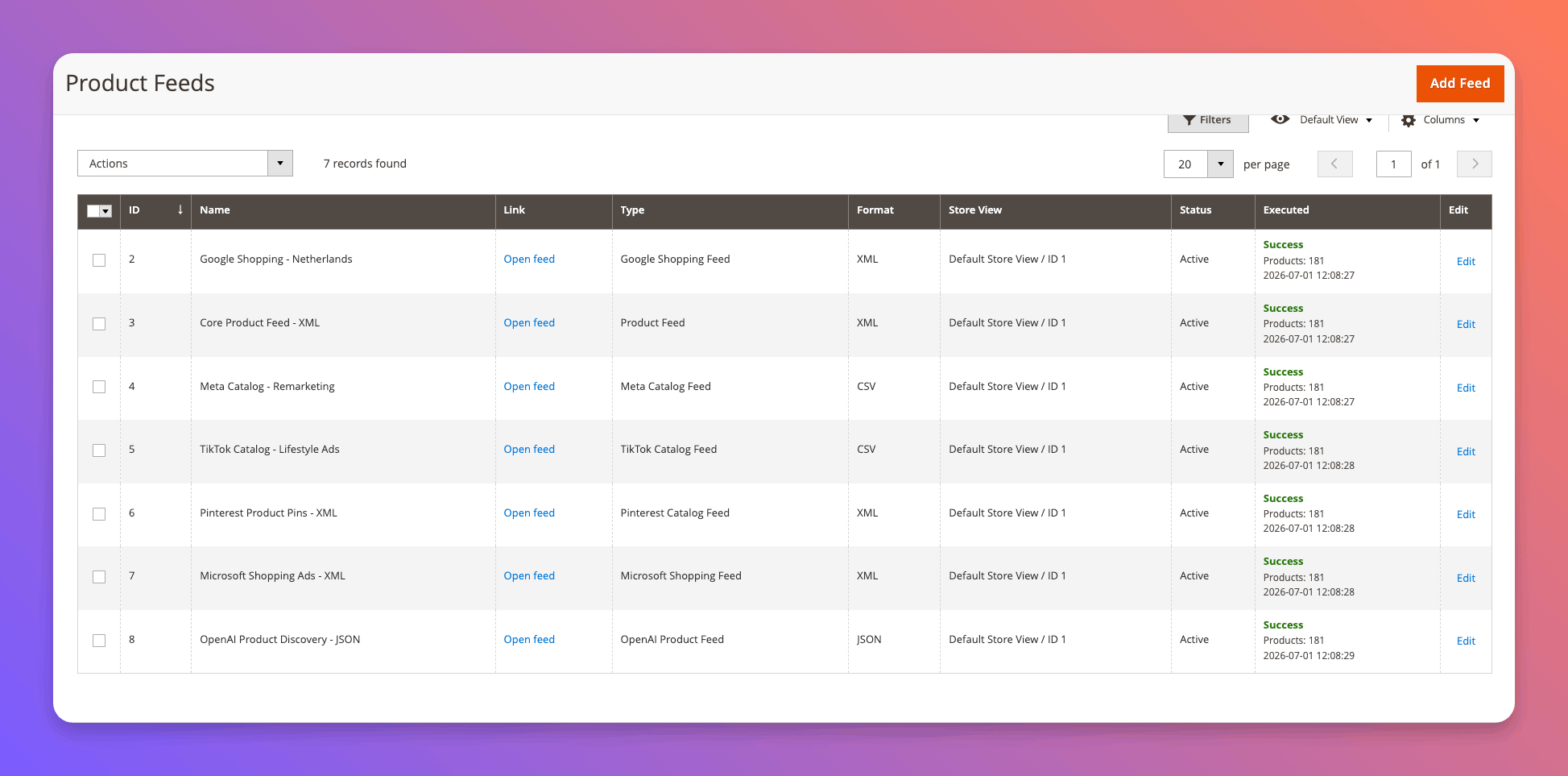
Manage multiple feeds per channel, store view and output format:
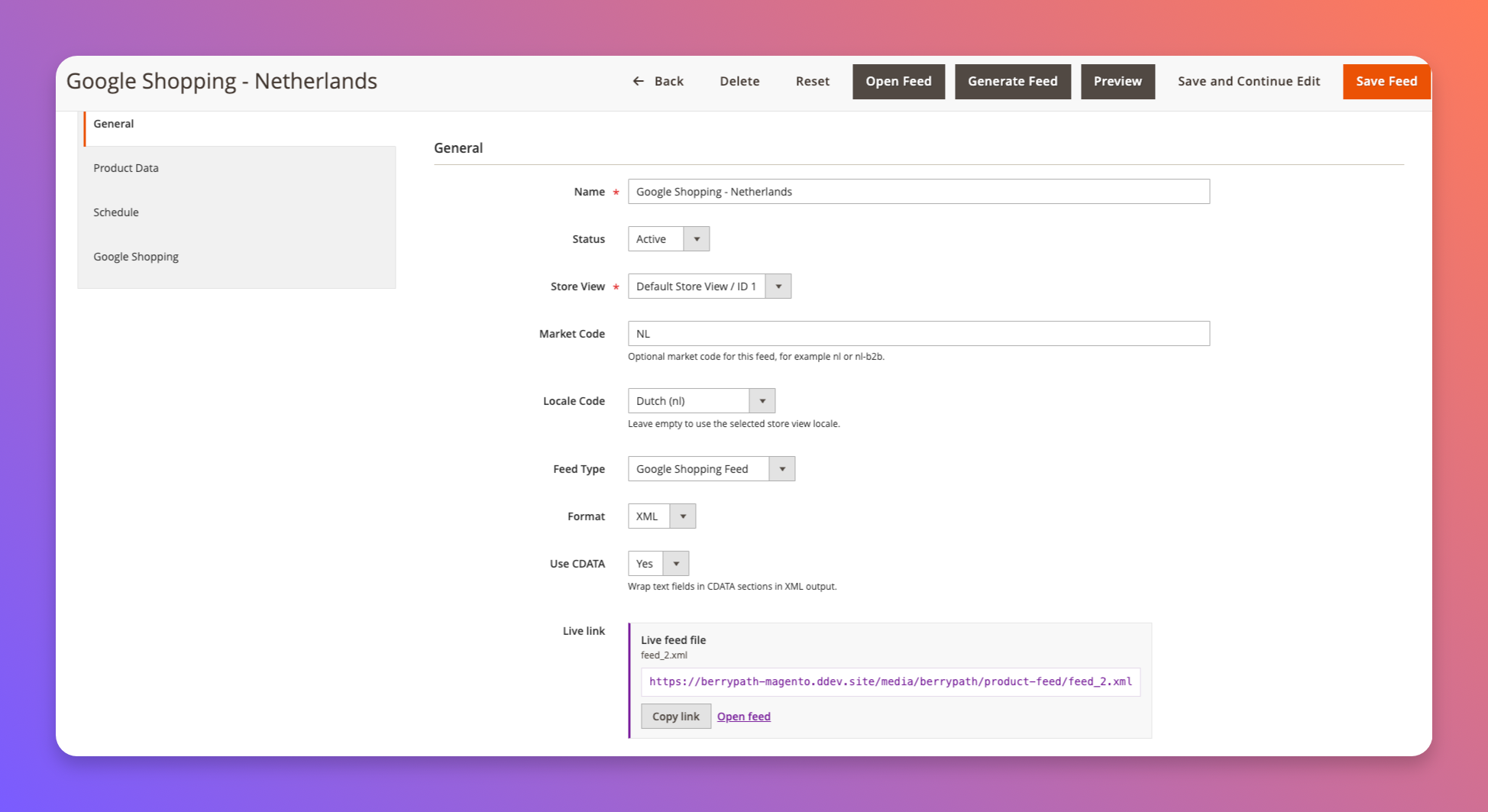
Configure each feed with its own type, format, CDATA setting and generated live
file link:
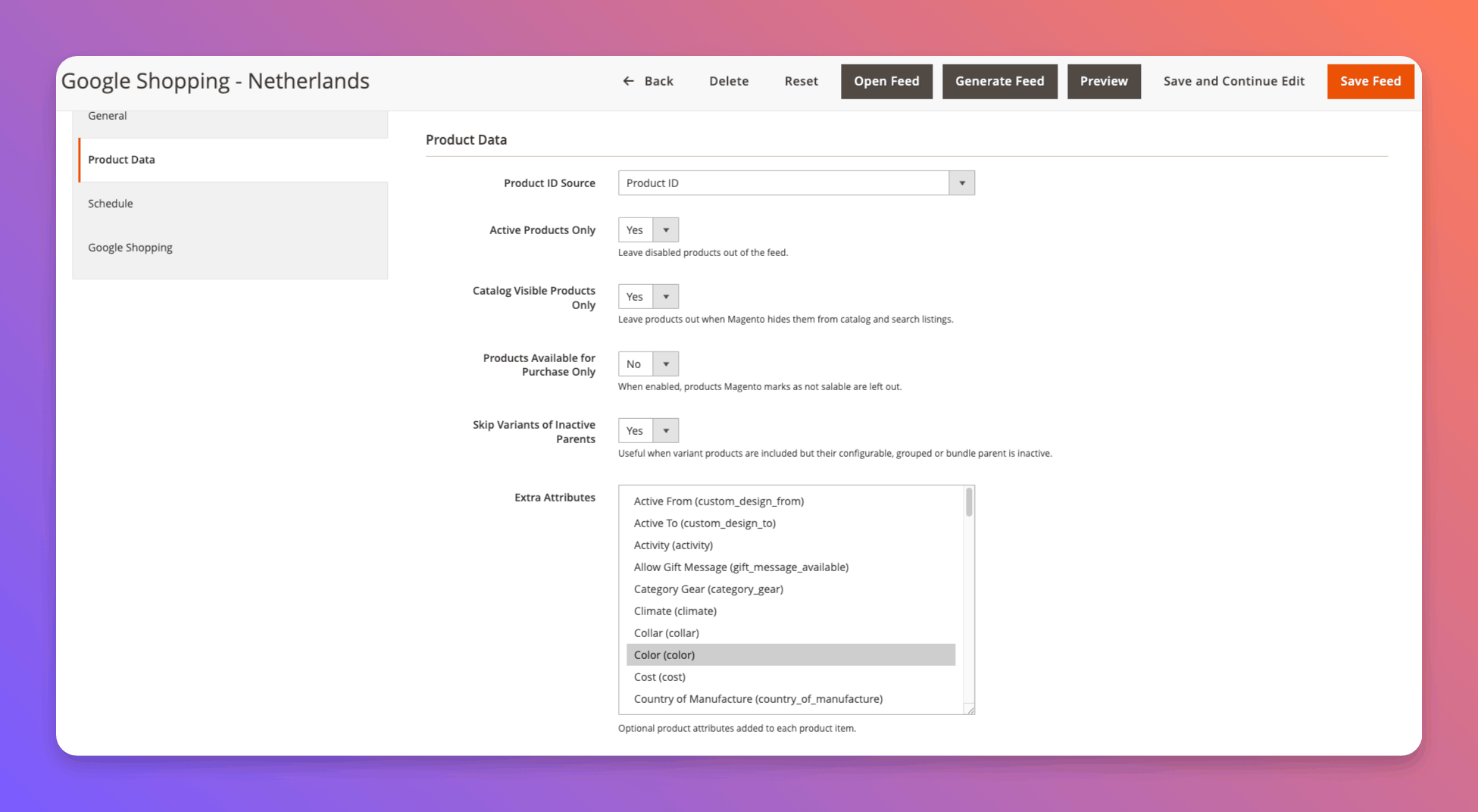
Choose product data options and optional Magento product attributes per feed:
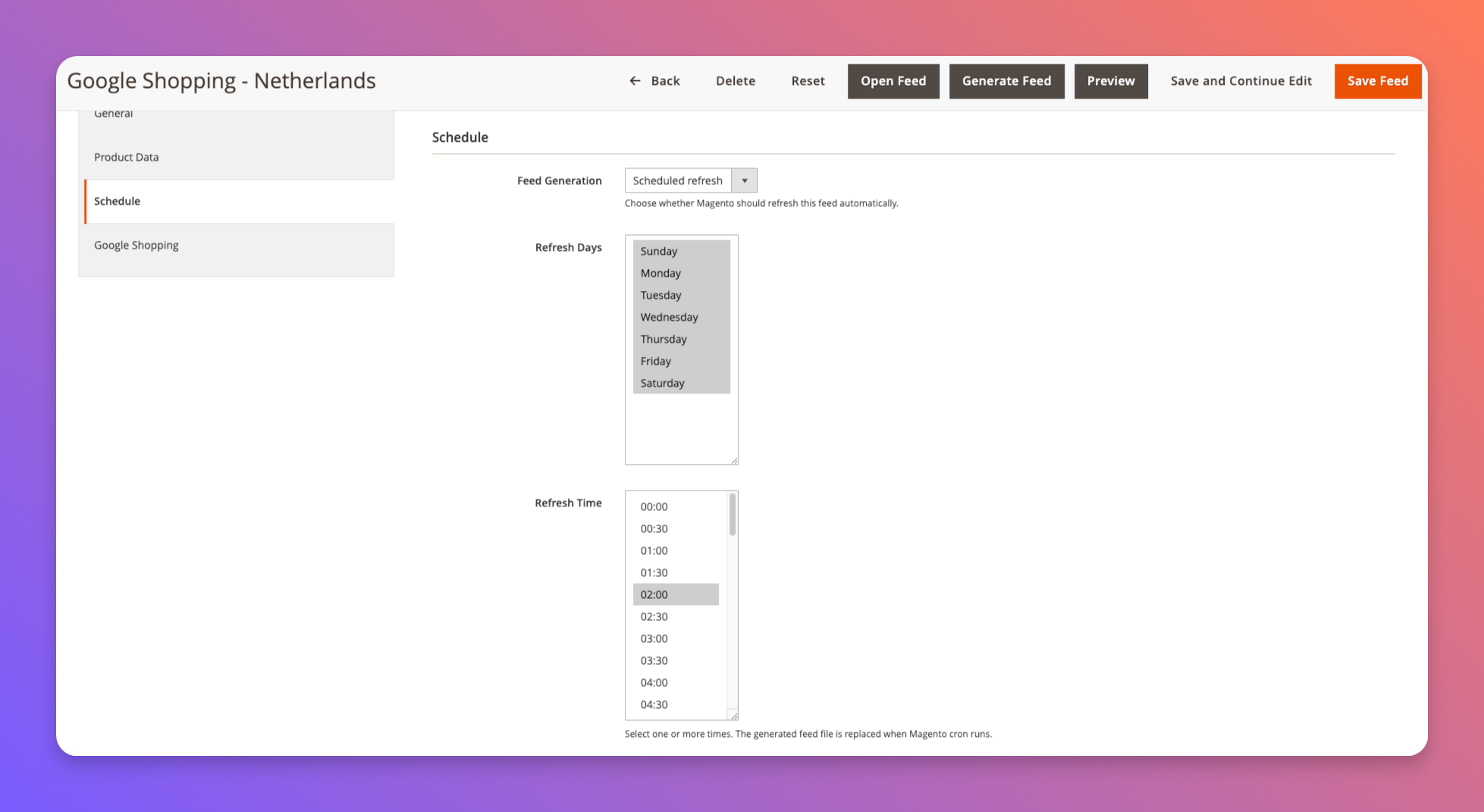
Schedule automatic feed generation through Magento cron:
Installation
composer require berrypath/magento2-berrypath-product-feed
bin/magento module:enable BerryPath_ProductFeed
bin/magento setup:upgrade
bin/magento cache:flush
For local app/code development, place it at:
app/code/BerryPath/ProductFeed
Configuration
Catalog > BerryPath > Product Feeds
Generated feed files are written to:
pub/media/berrypath/product-feed/feed_{feed_id}.{format}
Each feed has its own store view, market code, locale code, feed type,
output format, CDATA setting, product selection rules and URL. The
preview URL in the admin is limited to the first 25 products. The live link in
the admin points to the last generated file and exports all products.
Use Generate Feed from the feed edit page, or the grid mass action, to write
the feed file to pub/media/berrypath/product-feed. Saving feed options keeps
the existing live file available. Generate again when the live file should
reflect changed options.
Each feed can also be generated automatically through Magento cron. Configure
the refresh day and one or more refresh times on the feed edit page, under
Schedule.
CLI generation:
bin/magento berrypath:product-feed:list
bin/magento berrypath:product-feed:generate 1
bin/magento berrypath:product-feed:generate --all
Output formats:
- XML
- CSV
- JSON
XML output wraps text-heavy fields such as title, description, product type and
brand in CDATA sections by default. This can be disabled per feed.
Product selection options can be configured per feed. Defaults keep disabled
products out, keep catalog/search-hidden products out, keep out-of-stock products
in, and skip variant rows when their parent product is inactive.
The Conditions tab uses Magento's standard rule builder for feed filtering.
Leave it empty to include every product that matches the product data options.
Feed Types
The default feed type is Product Feed and the default output format is XML.
Google Shopping Feed can be enabled per feed. That output uses RSS 2.0
with the Google g: namespace and emits Google product attributes such as
g:id, g:title, g:price, g:availability and optional g:shipping when
the output format is XML.
Current Feed Fields
The feed includes core product data such as ID, SKU, type, name, URL, image,
price, final price, currency, salability, visibility, tax class, categories and
review summary data. Configurable, grouped and bundle product prices use the
Magento price index so parent products do not export 0.00 prices when indexed
prices are available.
Possible Channel Usage
The Google Shopping feed mode covers the core XML/RSS format and namespace.
Some merchants may still need channel-specific enrichment such as Google product
category, GTIN/MPN/brand mapping, promotion feeds or custom title and description
optimization.
BerryPath
BerryPath helps ecommerce teams build guided selling flows, product finders and
guided product advice experiences. Learn more at berrypath.eu.
For embedding BerryPath advice flows in Magento category pages, product pages
and CMS/widget placements, use the companion module:
- Package:
berrypath/magento2-berrypath-flow
No changelog yet
The vendor hasn't published a changelog. Tagged releases appear in the Versions tab.
| Version | Stability | QA Status | Compatibility | Released |
|---|---|---|---|---|
| 1.0.4 | stable | Fail | Magento 2.4.7-2.4.9 Details | 2026-07-01 13:53:32 |
| 1.0.3 | stable | Not tested | Not yet tested Details | 2026-07-01 13:44:55 |
| 1.0.2 | stable | Not tested | Not yet tested Details | 2026-07-01 12:51:24 |
| 1.0.1 | stable | Not tested | Not yet tested Details | 2026-07-01 12:30:22 |
| 1.0.0 | stable | Not tested | Not yet tested Details | 2026-06-30 12:19:36 |
Requires 1
| Package | Constraint |
|---|---|
| php | >=8.1 |
Suggests 1
| Package | Reason |
|---|---|
| berrypath/magento2-berrypath-flow | Magento 2 Guided Selling module. |
No QA results yet
QA pipelines haven't run for this version. Compatibility and quality results appear here once the vendor publishes a tagged release that gets ingested.
More from berrypath
View vendorTurn an existing module into recurring revenue.
If you already maintain a Magento 2 module on GitHub or GitLab, listing it on Packagento takes about five minutes. We mirror your tags, handle distribution signing, and route paid licenses through Stripe Connect, so you can keep shipping the way you already do.