
redchamps / module-clean-admin-menu
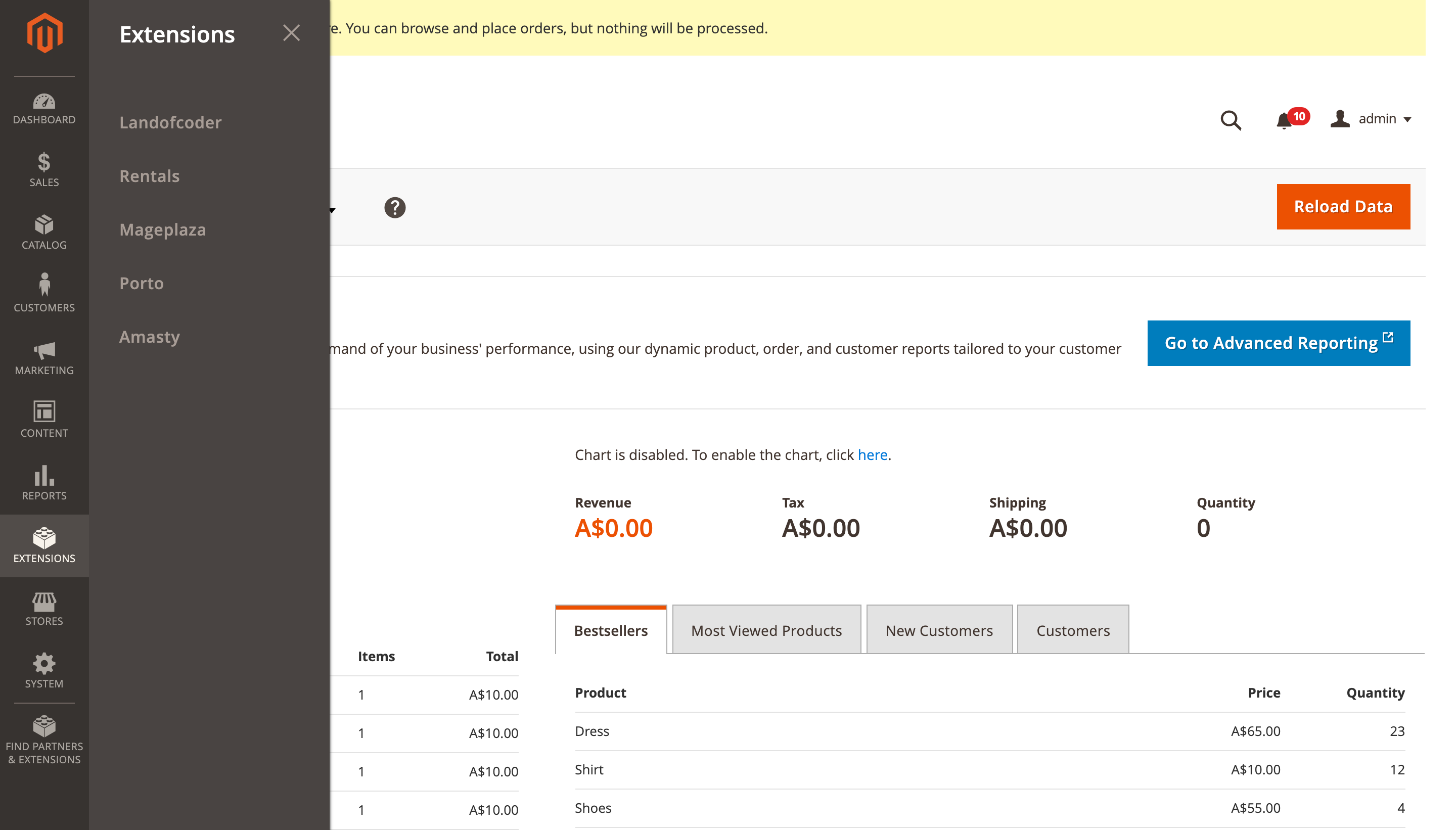
It will merge all third party extensions menu items to single menu item named 'Extensions'.
Clean Admin Menu - Magento 2 Extension





Overview
Clean Admin Menu is a Magento 2 extension that organizes and simplifies your admin panel by consolidating third-party extension menus. It follows Magento's best practices for admin menu organization by:
- Merging all third-party extension menu items into a single "Extensions" menu item in the backend's primary navigation
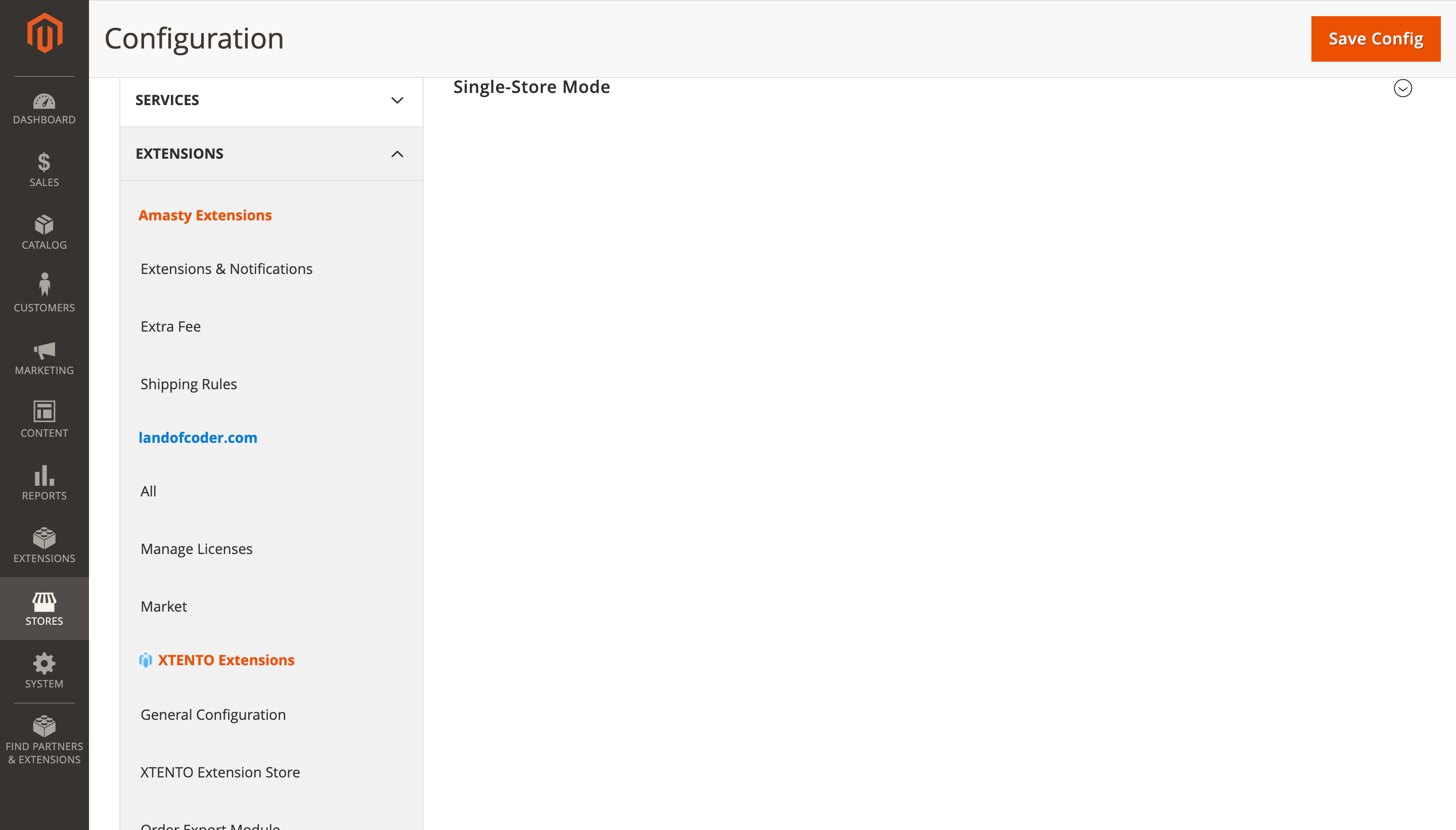
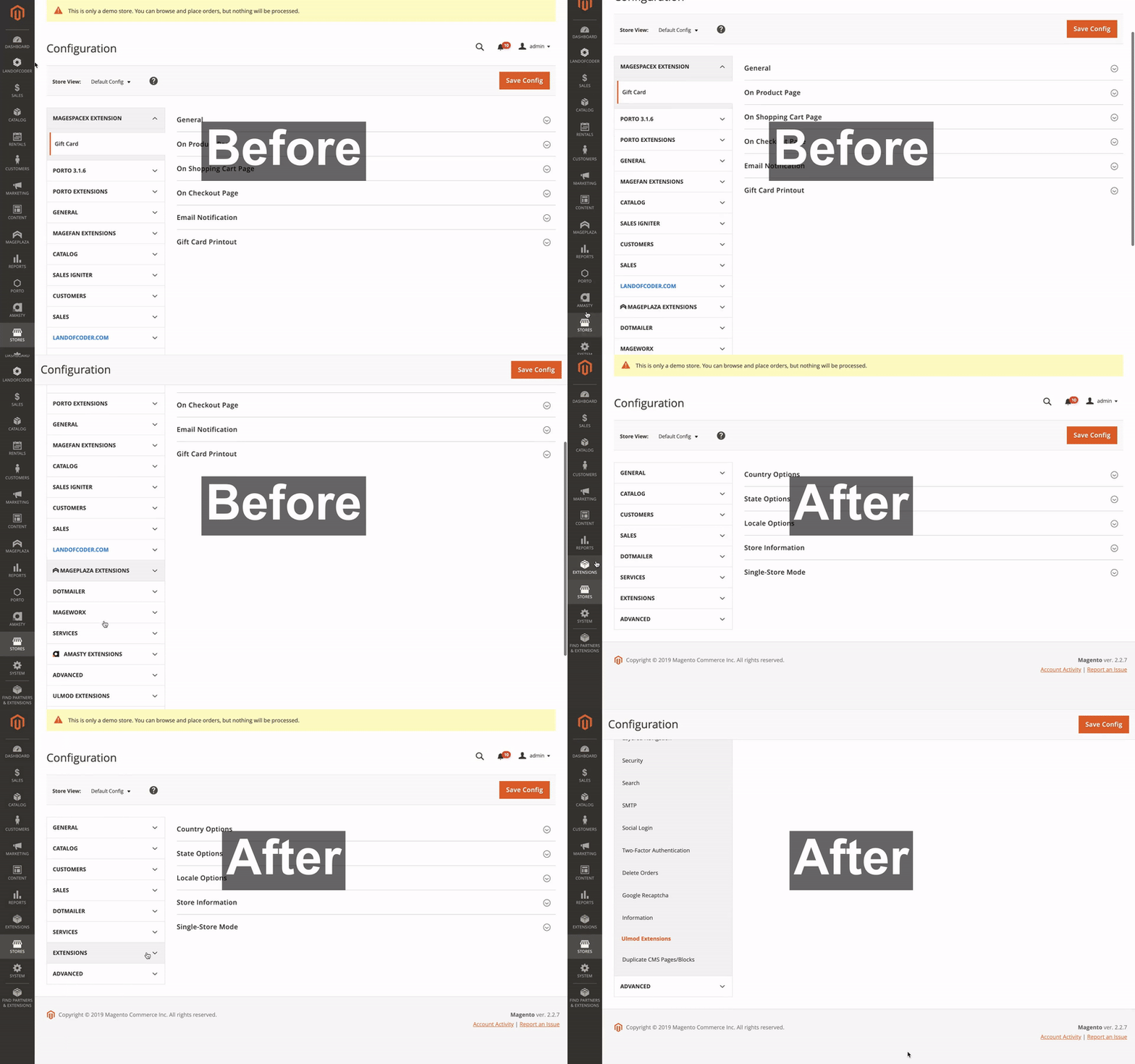
- Consolidating third-party extension configuration tabs under
Stores > Configurationinto a single "Extensions" tab - Placing the consolidated "Extensions" tab after native Magento tabs
This organization aligns with Magento's official Admin Best Practices for feature-level extensions.
Features
- Consolidates all third-party extension menus into a single "Extensions" section
- Organizes extension configuration settings under a unified tab
- Follows Magento's recommended admin menu structure
- Customizable menu organization through admin configuration
- Compatible with Magento 2.4.0 through 2.4.8+
Installation
Install via Composer:
composer require redchamps/module-clean-admin-menu
After installation:
- Run
bin/magento setup:upgrade - Run
bin/magento setup:di:compile - Run
bin/magento cache:clean
Configuration
Access the extension settings at:
Stores > Configuration > Extensions > RedChamps > Clean Admin Menu
Available Settings:
- Menu organization preferences
- Configuration tab placement
- Developer tools for custom menu ID management
Visual Examples
Main Navigation
Extensions Configuration
Before and After Comparison
Troubleshooting
If any extension menu item is not automatically moved under the "Extensions" menu:
- Navigate to: Stores > Configuration > Extensions > RedChamps > Clean Admin Menu > Developer Tools
- Find the menu ID of the extension that needs to be moved
- Add the menu ID to the "Move Menu ID's" setting
Requirements
- Magento 2.4.0 or higher
- PHP 7.4 or higher
Support
Authors
- RedChamps [Maintainer]

- Ravinder [Maintainer]

- Thomas Klein [Contributor]

- Prince Antil [Contributor]

License
This project is licensed under the MIT License - see the LICENSE file for details.
More Extensions
Visit our store for more free and paid Magento 2 extensions.
No changelog yet
The vendor hasn't published a changelog. Tagged releases appear in the Versions tab.
| Version | Stability | QA Status | Compatibility | Released |
|---|---|---|---|---|
| 1.1.7 | stable | Fail | Not yet tested Details | 2025-04-16 17:13:15 |
| 1.1.6 | stable | Not tested | Not yet tested Details | 2025-04-12 08:43:12 |
| 1.1.5 | stable | Not tested | Not yet tested Details | 2024-02-27 05:58:29 |
| 1.1.4 | stable | Not tested | Not yet tested Details | 2023-06-14 11:48:38 |
| 1.1.3 | stable | Not tested | Not yet tested Details | 2021-10-05 12:08:32 |
| 1.1.2 | stable | Not tested | Not yet tested Details | 2021-09-24 16:44:56 |
| 1.1.1 | stable | Not tested | Not yet tested Details | 2021-07-20 09:56:56 |
| 1.1.0 | stable | Not tested | Not yet tested Details | 2020-12-18 01:05:14 |
| 1.0.9 | stable | Not tested | Not yet tested Details | 2020-10-22 13:35:13 |
| 1.0.8 | stable | Not tested | Not yet tested Details | 2020-10-07 09:55:25 |
| 1.0.7 | stable | Not tested | Not yet tested Details | 2020-06-15 16:27:37 |
| 1.0.6 | stable | Not tested | Not yet tested Details | 2020-06-04 10:54:23 |
| 1.0.5 | stable | Not tested | Not yet tested Details | 2020-05-18 06:56:31 |
| 1.0.4 | stable | Not tested | Not yet tested Details | 2020-03-17 14:45:19 |
| 1.0.3 | stable | Not tested | Not yet tested Details | 2020-02-14 14:29:47 |
| 1.0.2 | stable | Not tested | Not yet tested Details | 2020-01-14 14:32:08 |
| 1.0.1 | stable | Not tested | Not yet tested Details | 2020-01-06 18:54:05 |
| 1.0.0 | stable | Not tested | Not yet tested Details | 2019-12-27 10:40:17 |
Requires 3
| Package | Constraint |
|---|---|
| magento/framework | ^100.0||^101.0||^102.0||^103.0 |
| magento/module-backend | ^100.0||^101.0||^102.0 |
| magento/module-config | ^100.0||^101.0 |
Compatibility
Each Magento release line is installed on its supported PHP versions, then the module is built (DI compilation + static-content deploy) and its unit and integration suites are run. The matrix shows the lines and PHP versions the module is confirmed to install and run on. Code-quality results further down (phpstan, phpcs, …) are reported separately and never affect compatibility.
Code Quality
Advisory checks against the module's source. Static analysis runs once across the whole module; PHPStan re-runs per Magento + PHP version because resolvable symbols differ between releases. These NEVER affect the Compatibility badge. A phpcs finding can't make a module incompatible.
Static analysis
Coding standards (phpcs), mess detection (phpmd), copy-pasted code (cpd), PHP cross-version compatibility, composer.json validity. Each runs once for the whole module.
Tests
Unit and integration suites, run for each applicable Magento and PHP version. A test failure speaks to the module's behaviour, not its compatibility with a Magento line, so it is reported here separately and never reddens the compatibility matrix.
Unit tests
| Magento | PHP 8.2 | PHP 8.3 | PHP 8.4 | PHP 8.5 |
|---|---|---|---|---|
| 2.4.7 | N/A | N/A | ||
| 2.4.8 | N/A | N/A | ||
| 2.4.9 | N/A | N/A |
Integration tests
| Magento | PHP 8.2 | PHP 8.3 | PHP 8.4 | PHP 8.5 |
|---|---|---|---|---|
| 2.4.7 | N/A | N/A | ||
| 2.4.8 | N/A | N/A | ||
| 2.4.9 | N/A | N/A |
Security
Security checks run directly against the module: an audit of its declared dependencies for known vulnerabilities (composer audit) and a scan of its source for malware and web-shell signatures. Each runs once. A malware detection fails the version outright.
More from redchamps
View vendorTurn an existing module into recurring revenue.
If you already maintain a Magento 2 module on GitHub or GitLab, listing it on Packagento takes about five minutes. We mirror your tags, handle distribution signing, and route paid licenses through Stripe Connect, so you can keep shipping the way you already do.