
hryvinskyi / magento2-base
N/A
Magento 2 Base Module
A comprehensive Magento 2 base module providing:
- Yii2 Framework Helpers: Battle-tested utility classes for array manipulation, HTML generation, JSON handling, and debugging
- ViewModel Registry: Global access to view models in templates without layout XML configuration
- Console Utilities: ANSI terminal control, progress bars, and formatted CLI output
- Layout Debugging: Developer mode tools for layout XML and block structure inspection
Installation Guide
composer require hryvinskyi/magento2-base
bin/magento module:enable Hryvinskyi_Base
bin/magento setup:upgrade
Table of Contents
Core Features
1. ViewModel Registry ($viewModels)
Access any view model directly in templates without declaring them in layout XML. The $viewModels variable is automatically available in all .phtml templates.
Usage in templates:
<?php
/** @var Magento\Framework\View\Element\Template $block */
/** @var Hryvinskyi\Base\Model\ViewModelRegistry $viewModels */

// Get any view model by class name
$productViewModel = $viewModels->require(\Vendor\Module\ViewModel\Product::class);
$categoryViewModel = $viewModels->require(\Vendor\Module\ViewModel\Category::class);

// For ESI blocks with TTL, pass the block reference for proper cache handling
$esiViewModel = $viewModels->require(\Vendor\Module\ViewModel\Esi::class, $block);

// Use the view model
echo $productViewModel->getProductName();
?>
How it works:
- Automatically injected into all PHP template engines via
di.xml - Collects cache tags from view models implementing
IdentityInterface - Properly handles Varnish ESI blocks to prevent incorrect cache purging
- Validates that requested classes implement
ArgumentInterface
Cache handling for ESI blocks:
// Main page - cache tags collected normally
$viewModel = $viewModels->require(MyViewModel::class);

// ESI block (ttl="300") - pass $block to prevent main page cache pollution
$viewModel = $viewModels->require(MyViewModel::class, $block);
2. Layout Debugging (Developer Mode Only)
Automatic layout debugging tools enabled when Magento is in developer mode.
Features:
- Visual block hierarchy display
- Layout XML structure viewer
- Block rendering time tracking
- Cache status indicators
Automatically enabled when:
bin/magento deploy:mode:set developer
Configuration:
The debugging information is controlled by Hryvinskyi\Base\Helper\Config:
- Only works in developer mode (
State::MODE_DEVELOPER) - Injected into responses via event observers
- No configuration needed - works out of the box
What you get:
- Block nesting and parent-child relationships
- Template file locations with full paths
- Block class names and cache keys
- Layout handle processing order
- Visual hierarchy with indentation
3. Extensible Admin Menu
A reusable dropdown menu component for Magento admin pages that can be configured entirely via layout XML. Perfect for creating navigation menus in custom admin modules.
Features:
- Fully configurable via layout XML (no PHP code required)
- Route-based URL generation with parameters support
- Sortable menu items with sort_order
- Custom CSS classes and icons per item
- Per-item ACL resource: items the current admin user may not open are hidden
- Translatable labels
- Reusable across multiple modules
Basic Usage in Layout XML:
<?xml version="1.0"?>
<page xmlns:xsi="http://www.w3.org/2001/XMLSchema-instance"
      xsi:noNamespaceSchemaLocation="urn:magento:framework:View/Layout/etc/page_configuration.xsd">
    <head>
        <css src="Hryvinskyi_Base::css/styles.css"/>
    </head>
    <body>
        <referenceBlock name="page.title">
            <block class="Hryvinskyi\Base\Block\Adminhtml\Menu" name="my.module.menu">
                <arguments>
                    <argument name="menu_title" xsi:type="string" translate="true">My Module</argument>
                    <argument name="items" xsi:type="array">
                        <item name="dashboard" xsi:type="array">
                            <item name="label" xsi:type="string" translate="true">Dashboard</item>
                            <item name="route" xsi:type="string">mymodule/dashboard/index</item>
                            <item name="sort_order" xsi:type="number">10</item>
                        </item>
                        <item name="settings" xsi:type="array">
                            <item name="label" xsi:type="string" translate="true">Settings</item>
                            <item name="route" xsi:type="string">adminhtml/system_config/edit</item>
                            <item name="route_params" xsi:type="array">
                                <item name="section" xsi:type="string">mymodule</item>
                            </item>
                            <item name="sort_order" xsi:type="number">20</item>
                        </item>
                    </argument>
                </arguments>
            </block>
        </referenceBlock>
    </body>
</page>
Creating a Reusable Menu Handle:
Create a shared layout handle file (e.g., mymodule_menu.xml) to avoid duplication:
<?xml version="1.0"?>
<page xmlns:xsi="http://www.w3.org/2001/XMLSchema-instance"
      xsi:noNamespaceSchemaLocation="urn:magento:framework:View/Layout/etc/page_configuration.xsd">
    <head>
        <css src="Hryvinskyi_Base::css/styles.css"/>
    </head>
    <body>
        <referenceBlock name="page.title">
            <block class="Hryvinskyi\Base\Block\Adminhtml\Menu" name="mymodule.menu">
                <arguments>
                    <argument name="menu_title" xsi:type="string" translate="true">My Module</argument>
                    <argument name="items" xsi:type="array">
                        <!-- Define your menu items here -->
                    </argument>
                </arguments>
            </block>
        </referenceBlock>
    </body>
</page>
Then include it in your page layouts:
<?xml version="1.0"?>
<page xmlns:xsi="http://www.w3.org/2001/XMLSchema-instance"
      xsi:noNamespaceSchemaLocation="urn:magento:framework:View/Layout/etc/page_configuration.xsd">
    <update handle="mymodule_menu"/>
    <body>
        <referenceContainer name="content">
            <uiComponent name="mymodule_listing"/>
        </referenceContainer>
    </body>
</page>
Menu Item Configuration Options:
| Option | Type | Required | Description |
|---|---|---|---|
label |
string | Yes | Menu item text (supports translation with translate="true") |
route |
string | Yes | Magento route path (e.g., module/controller/action) |
route_params |
array | No | Route parameters (e.g., section, id) |
sort_order |
number | No | Order of items (default: 0, lower = first) |
class |
string or array | No | CSS class(es) for the menu item, or a map of class name to boolean flag |
icon |
string | No | SVG or HTML icon content |
is_active |
boolean | No | Show/hide item (default: true) |
resource |
string | No | ACL resource id the admin user needs to see the item (since 2.2.0) |
An item that holds a value of the wrong type (for example an array as label, or an empty resource) is left out
of the menu and logged as a warning; the rest of the menu still renders.
Per-item Permissions (resource):
Give an item the ACL resource that guards the page it links to. The menu checks it with
Magento\Framework\AuthorizationInterface::isAllowed() and does not render the item for an admin role that lacks
it, so a restricted user never sees a link that ends on "Sorry, you need permissions to view this content".
Items without resource are shown to everyone who can open the page, exactly as in 2.1. When no item is left, the
menu renders nothing.
<item name="settings" xsi:type="array">
    <item name="label" xsi:type="string" translate="true">Settings</item>
    <item name="route" xsi:type="string">adminhtml/system_config/edit</item>
    <item name="route_params" xsi:type="array">
        <item name="section" xsi:type="string">mymodule</item>
    </item>
    <item name="resource" xsi:type="string">Vendor_MyModule::config</item>
    <item name="sort_order" xsi:type="number">20</item>
</item>
The per-item check hides links; it does not protect the pages. Each controller still declares its own
ADMIN_RESOURCE.
Custom Menu Icon:
<argument name="menu_icon" xsi:type="string"><![CDATA[
    <svg class="hamburger-icon" xmlns="http://www.w3.org/2000/svg" viewBox="0 0 24 24">
        <path d="M12 2L2 7l10 5 10-5-10-5zM2 17l10 5 10-5M2 12l10 5 10-5"/>
    </svg>
]]></argument>
Menu Item with Icon:
<item name="reports" xsi:type="array">
    <item name="label" xsi:type="string" translate="true">Reports</item>
    <item name="route" xsi:type="string">mymodule/reports/index</item>
    <item name="sort_order" xsi:type="number">30</item>
    <item name="icon" xsi:type="string"><![CDATA[
        <svg xmlns="http://www.w3.org/2000/svg" width="16" height="16" viewBox="0 0 24 24">
            <path d="M3 3v18h18v-18h-18zm16 16h-14v-14h14v14z"/>
        </svg>
    ]]></item>
</item>
Yii2 Framework Helper Classes
This module provides proven, battle-tested helper classes from the Yii2 framework, adapted for Magento 2.
ArrayHelper
Comprehensive array manipulation utilities with 30+ methods for working with arrays and objects.
Key Methods:
| Method | Description |
|---|---|
getValue($array, $key, $default) |
Retrieve nested values using dot notation (user.address.street) |
setValue(&$array, $key, $value) |
Set nested values using dot notation |
remove(&$array, $key, $default) |
Remove and return array element |
merge($a, $b) |
Recursively merge arrays with smart key handling |
index($array, $key) |
Index/group arrays by specified keys |
getColumn($array, $name) |
Extract column values from multidimensional arrays |
map($array, $from, $to, $group) |
Build key-value maps from arrays |
filter($array, $filters) |
Filter array using dot notation rules |
multisort(&$array, $key, $direction) |
Sort by multiple keys with different directions |
toArray($object, $properties, $recursive) |
Convert objects to arrays with property mapping |
isAssociative($array, $allStrings) |
Check if array is associative |
isIndexed($array, $consecutive) |
Check if array is indexed |
htmlEncode($data, $valuesOnly, $charset) |
Encode HTML entities recursively |
htmlDecode($data, $valuesOnly) |
Decode HTML entities recursively |
keyExists($key, $array, $caseSensitive) |
Check key existence with case options |
isIn($needle, $haystack, $strict) |
Check value membership |
isSubset($needles, $haystack, $strict) |
Check if all values exist |
Advanced Features:
- UnsetArrayValue: Mark array values for removal during merge
- ReplaceArrayValue: Force replacement instead of recursive merge
Usage Examples:
use Hryvinskyi\Base\Helper\ArrayHelper;

// Dot notation access
$username = ArrayHelper::getValue($_POST, 'user.profile.username', 'guest');
ArrayHelper::setValue($config, 'database.host', 'localhost');

// Array merging with smart handling
$merged = ArrayHelper::merge(
    ['items' => ['apple', 'banana']],
    ['items' => ['cherry']]
);
// Result: ['items' => ['apple', 'banana', 'cherry']]

// Indexing and grouping
$users = [
    ['id' => 1, 'name' => 'John', 'role' => 'admin'],
    ['id' => 2, 'name' => 'Jane', 'role' => 'user'],
    ['id' => 3, 'name' => 'Bob', 'role' => 'admin'],
];

$indexed = ArrayHelper::index($users, 'id');
// Result: [1 => [...], 2 => [...], 3 => [...]]

$grouped = ArrayHelper::index($users, null, 'role');
// Result: ['admin' => [[...], [...]], 'user' => [[...]]]

// Column extraction
$ids = ArrayHelper::getColumn($users, 'id');
// Result: [1, 2, 3]

// Multi-key sorting
ArrayHelper::multisort($users, ['role', 'name'], [SORT_ASC, SORT_DESC]);

// Object conversion with custom property mapping
$array = ArrayHelper::toArray($object, [
    'id',
    'username' => 'name',
    'fullName' => function($obj) { return $obj->firstName . ' ' . $obj->lastName; }
]);

// Filtering with conditions
$filtered = ArrayHelper::filter($users, [
    'id' => [1, 2],  // Include only these IDs
    'role' => 'admin'  // Only admins
]);

// Map creation
$nameMap = ArrayHelper::map($users, 'id', 'name');
// Result: [1 => 'John', 2 => 'Jane', 3 => 'Bob']

// Force replacement in merge
use Hryvinskyi\Base\Helper\ReplaceArrayValue;
$merged = ArrayHelper::merge(
    ['items' => ['a', 'b']],
    ['items' => new ReplaceArrayValue(['c', 'd'])]
);
// Result: ['items' => ['c', 'd']] (replaced, not merged)
Html
HTML generation helper with 40+ methods for programmatic HTML creation and manipulation.
Element Generation:
tag($name, $content, $options)- Generate any HTML taga($text, $url, $options)- Hyperlinksmailto($text, $email, $options)- Email linksimg($src, $options)- Imageslabel($content, $for, $options)- Labelsbutton($content, $options)- ButtonssubmitButton($content, $options)- Submit buttonsresetButton($content, $options)- Reset buttons
Form Generation:
beginForm($action, $method, $formKey, $options)- Form opening with CSRFendForm()- Form closinginput($type, $name, $value, $options)- Generic inputtextInput($name, $value, $options)- Text inputhiddenInput($name, $value, $options)- Hidden inputpasswordInput($name, $value, $options)- Password inputfileInput($name, $value, $options)- File inputtextarea($name, $value, $options)- Textarearadio($name, $checked, $options)- Radio buttoncheckbox($name, $checked, $options)- Checkbox
Lists and Selections:
dropDownList($name, $selection, $items, $options)- Dropdown selectlistBox($name, $selection, $items, $options)- Multi-select listcheckboxList($name, $selection, $items, $options)- Checkbox listradioList($name, $selection, $items, $options)- Radio button listul($items, $options)- Unordered listol($items, $options)- Ordered list
Asset Tags:
cssFile($url, $options)- CSS link tag with IE conditional supportjsFile($url, $options)- JavaScript script tag with IE conditional support
CSS/Style Manipulation:
addCssClass(&$options, $class)- Add CSS class(es)removeCssClass(&$options, $class)- Remove CSS class(es)addCssStyle(&$options, $style, $overwrite)- Add inline stylesremoveCssStyle(&$options, $properties)- Remove inline styles
Utilities:
encode($content, $doubleEncode)- HTML entity encodingdecode($content)- HTML entity decodingrenderTagAttributes($attributes)- Render attribute string with data-* support
Usage Examples:
use Hryvinskyi\Base\Helper\Html;

// Generate links
echo Html::a('Visit site', 'https://example.com', ['class' => 'external-link', 'target' => '_blank']);
echo Html::mailto('Contact us', '[email protected]');

// Create forms
echo Html::beginForm('/checkout/submit', 'post', $formKey, ['id' => 'checkout-form']);
echo Html::textInput('email', '', ['class' => 'form-control', 'required' => true]);
echo Html::passwordInput('password', '', ['class' => 'form-control']);
echo Html::textarea('comments', '', ['rows' => 5, 'class' => 'form-control']);
echo Html::submitButton('Submit Order', ['class' => 'btn btn-primary']);
echo Html::endForm();

// Dropdowns and lists
echo Html::dropDownList('country', 'US', [
    'US' => 'United States',
    'CA' => 'Canada',
    'UK' => 'United Kingdom'
], ['class' => 'country-select']);

// Checkbox/radio lists
echo Html::checkboxList('features', ['wifi', 'parking'], [
    'wifi' => 'WiFi',
    'parking' => 'Parking',
    'pool' => 'Swimming Pool'
]);

// Lists
echo Html::ul(['Apple', 'Banana', 'Cherry'], [
    'class' => 'fruit-list',
    'item' => function($item, $index) {
        return Html::tag('span', $item, ['data-index' => $index]);
    }
]);

// CSS class manipulation
$options = ['class' => 'btn'];
Html::addCssClass($options, 'btn-primary btn-lg');
Html::removeCssClass($options, 'btn-lg');
// Result: ['class' => 'btn btn-primary']

// Style manipulation
$options = [];
Html::addCssStyle($options, 'color: red');
Html::addCssStyle($options, ['font-size' => '14px', 'margin' => '10px']);
// Result: ['style' => 'color: red; font-size: 14px; margin: 10px;']

// Asset tags with IE conditional comments
echo Html::cssFile('/css/style.css', ['media' => 'screen']);
echo Html::cssFile('/css/ie8.css', ['condition' => 'lt IE 9']);
echo Html::jsFile('/js/script.js', ['async' => true]);

// Custom tags with data attributes
echo Html::tag('div', 'Content', [
    'class' => 'container',
    'data-module' => 'carousel',
    'data-options' => ['autoplay' => true, 'delay' => 3000]
]);
Json
JSON encoding/decoding utilities with enhanced error handling and features beyond native PHP JSON functions.
Features:
- Enhanced error handling with descriptive messages
- Pretty print support via static property
- Object type preservation control
- HTML-safe encoding for embedding in attributes
- Circular reference detection
Methods:
encode($value, $options)- Encode with error handlinghtmlEncode($value)- HTML-safe encoding (escapes quotes, tags, amp, apos)decode($json, $asArray)- Decode with error handling
Properties:
$prettyPrint- Enable/disable pretty printing (null = use encode options)$keepObjectType- Avoid objects with zero-indexed keys being encoded as arrays
Usage Examples:
use Hryvinskyi\Base\Helper\Json;

// Basic encoding
$json = Json::encode(['name' => 'John', 'age' => 30]);

// Pretty printing
Json::$prettyPrint = true;
$prettyJson = Json::encode(['name' => 'John', 'age' => 30]);
/*
{
    "name": "John",
    "age": 30
}
*/

// HTML-safe encoding for embedding in attributes
$safeJson = Json::htmlEncode(['alert' => '<script>alert("xss")</script>']);
echo '<div data-config="' . $safeJson . '">'; // Safely embedded

// Object type preservation
Json::$keepObjectType = true;
$json = Json::encode((object)['test']);
// Result: {"0":"test"} instead of ["test"]

// Decoding with error handling
try {
    $data = Json::decode($jsonString);
} catch (\Hryvinskyi\Base\Helper\InvalidParamException $e) {
    // Handle JSON decode error
    echo "Invalid JSON: " . $e->getMessage();
}

// Decode as object instead of array
$object = Json::decode($jsonString, false);
VarDumper
Advanced variable dumping for debugging with syntax highlighting and circular reference handling.
Features:
- Enhanced var_dump with better formatting
- Handles circular references safely
- Configurable depth limits
- Syntax highlighting support
- Export variables as valid PHP code
- Support for complex objects and closures
Methods:
dump($var, $depth, $highlight)- Display variable contentsdumpAsString($var, $depth, $highlight)- Get dump as stringexport($var)- Export as executable PHP codeexportClosure($closure)- Export closure source code
Usage Examples:
use Hryvinskyi\Base\Helper\VarDumper;

// Basic dumping
VarDumper::dump($complexObject);

// With depth limit and syntax highlighting
VarDumper::dump($deeplyNestedArray, 10, true);

// Get dump as string for logging
$debugInfo = VarDumper::dumpAsString($data, 5);
$logger->debug($debugInfo);

// Export as PHP code
$code = VarDumper::export(['name' => 'John', 'items' => [1, 2, 3]]);
// Result: "['name' => 'John', 'items' => [1, 2, 3,],]"

// Export complex objects (uses serialize/unserialize)
$code = VarDumper::export($product);
// Result: "unserialize('...')"

// Export closures (extracts source code)
$closure = function($x) { return $x * 2; };
$code = VarDumper::export($closure);
// Result: "function($x) { return $x * 2; }"

// Handle circular references safely
$a = ['x' => 1];
$a['self'] = &$a;
VarDumper::dump($a); // Safely handles the circular reference
Console Utilities (ConsoleHelper)
Comprehensive ANSI terminal control for CLI commands with 30+ methods for creating rich console applications.
Categories:
- Cursor Control: Move, position, show/hide cursor
- Screen Control: Clear screen, scroll, save/restore positions
- Colors & Formatting: Foreground/background colors, text styles
- Input/Output: Styled output, user input, prompts
- Progress Bars: Visual progress indicators with ETA
- Utilities: Screen size detection, text wrapping, platform detection
Cursor Control
use Hryvinskyi\Base\Helper\ConsoleHelper;

ConsoleHelper::moveCursorUp(2);           // Move cursor up 2 rows
ConsoleHelper::moveCursorDown(1);         // Move cursor down 1 row
ConsoleHelper::moveCursorForward(5);      // Move cursor right 5 columns
ConsoleHelper::moveCursorBackward(3);     // Move cursor left 3 columns
ConsoleHelper::moveCursorNextLine(2);     // Move to beginning of 2nd line down
ConsoleHelper::moveCursorPrevLine(1);     // Move to beginning of 1 line up
ConsoleHelper::moveCursorTo(10, 5);       // Move to column 10, row 5
ConsoleHelper::saveCursorPosition();      // Save current position
ConsoleHelper::restoreCursorPosition();   // Restore saved position
ConsoleHelper::hideCursor();              // Hide cursor
ConsoleHelper::showCursor();              // Show cursor
Screen Control
ConsoleHelper::clearScreen();             // Clear entire screen
ConsoleHelper::clearScreenBeforeCursor(); // Clear from cursor to top
ConsoleHelper::clearScreenAfterCursor();  // Clear from cursor to bottom
ConsoleHelper::clearLine();               // Clear current line
ConsoleHelper::clearLineBeforeCursor();   // Clear line before cursor
ConsoleHelper::clearLineAfterCursor();    // Clear line after cursor
ConsoleHelper::scrollUp(3);               // Scroll up 3 lines
ConsoleHelper::scrollDown(2);             // Scroll down 2 lines
Colors & Formatting
Color Constants:
// Foreground colors
ConsoleHelper::FG_BLACK, FG_RED, FG_GREEN, FG_YELLOW
ConsoleHelper::FG_BLUE, FG_PURPLE, FG_CYAN, FG_GREY

// Background colors
ConsoleHelper::BG_BLACK, BG_RED, BG_GREEN, BG_YELLOW
ConsoleHelper::BG_BLUE, BG_PURPLE, BG_CYAN, BG_GREY

// Text styles
ConsoleHelper::BOLD, ITALIC, UNDERLINE, BLINK
ConsoleHelper::NEGATIVE, CONCEALED, CROSSED_OUT
ConsoleHelper::FRAMED, ENCIRCLED, OVERLINED
Usage:
// Apply formatting
ConsoleHelper::beginAnsiFormat([ConsoleHelper::FG_RED, ConsoleHelper::BOLD]);
echo "Error message";
ConsoleHelper::endAnsiFormat();

// Format string
$formatted = ConsoleHelper::ansiFormat('Warning', [ConsoleHelper::FG_YELLOW, ConsoleHelper::BOLD]);

// xterm 256 colors
$fgColor = ConsoleHelper::xtermFgColor(208); // Orange
$bgColor = ConsoleHelper::xtermBgColor(235); // Dark gray
echo ConsoleHelper::ansiFormat('Text', [$fgColor, $bgColor]);

// Color codes in strings (irssi-style)
$text = ConsoleHelper::renderColoredString('%R[ERROR]%n %yWarning message', true);
// %R = red bold, %n = reset, %y = yellow

// Convert ANSI to HTML
$html = ConsoleHelper::ansiToHtml($ansiString);

// Strip ANSI codes
$plain = ConsoleHelper::stripAnsiFormat($ansiString);
$length = ConsoleHelper::ansiStrlen($ansiString); // Length without codes
Input/Output
// Output
ConsoleHelper::stdout("Message");          // Print to STDOUT
ConsoleHelper::stderr("Error");            // Print to STDERR
ConsoleHelper::output("Line");             // Print line to STDOUT
ConsoleHelper::error("Error");             // Print line to STDERR

// Input
$input = ConsoleHelper::stdin();           // Read from STDIN
$input = ConsoleHelper::input("Name: ");   // Prompt and read

// Prompt with validation
$email = ConsoleHelper::prompt("Email: ", [
    'required' => true,
    'pattern' => '/^[^@]+@[^@]+$/',
    'error' => 'Invalid email format'
]);

$age = ConsoleHelper::prompt("Age: ", [
    'default' => 18,
    'validator' => function($input, &$error) {
        if ($input < 18) {
            $error = "Must be 18 or older";
            return false;
        }
        return true;
    }
]);

// Confirmation
if (ConsoleHelper::confirm("Delete all files?", false)) {
    // User confirmed
}

// Selection menu
$choice = ConsoleHelper::select("Choose action:", [
    'c' => 'Create',
    'r' => 'Read',
    'u' => 'Update',
    'd' => 'Delete'
]);
Progress Bars
// Simple progress bar
ConsoleHelper::startProgress(0, 1000);
for ($i = 1; $i <= 1000; $i++) {
    usleep(1000);
    ConsoleHelper::updateProgress($i, 1000);
}
ConsoleHelper::endProgress();

// With prefix
ConsoleHelper::startProgress(0, 100, 'Processing: ');
// ... update progress ...
ConsoleHelper::endProgress("Done!\n");

// Git-style (status only, no bar)
ConsoleHelper::startProgress(0, 1000, 'Counting objects: ', false);
// ... update progress ...
ConsoleHelper::endProgress("done.\n");

// Custom width
ConsoleHelper::startProgress(0, 100, '', 0.5); // 50% of screen width
ConsoleHelper::startProgress(0, 100, '', 80);  // 80 characters wide
Utilities
// Platform detection
if (ConsoleHelper::isRunningOnWindows()) {
    // Windows-specific code
}

// ANSI support detection
if (ConsoleHelper::streamSupportsAnsiColors(STDOUT)) {
    // Use colored output
}

// Screen size
list($width, $height) = ConsoleHelper::getScreenSize();
list($width, $height) = ConsoleHelper::getScreenSize(true); // Force refresh

// Text wrapping with indentation
$wrapped = ConsoleHelper::wrapText($longText, 4);
/*
Lorem ipsum
    dolor sit
    amet.
*/

// Escape color codes
$escaped = ConsoleHelper::escape("String with %y color codes");
Complete CLI Example
use Hryvinskyi\Base\Helper\ConsoleHelper;

class MyCommand extends \Symfony\Component\Console\Command\Command
{
    protected function execute($input, $output)
    {
        // Header
        ConsoleHelper::output(ConsoleHelper::ansiFormat('=== Deployment Script ===', [
            ConsoleHelper::FG_GREEN,
            ConsoleHelper::BOLD
        ]));

        // Confirmation
        if (!ConsoleHelper::confirm("Deploy to production?", false)) {
            ConsoleHelper::output(ConsoleHelper::ansiFormat('Cancelled', [ConsoleHelper::FG_YELLOW]));
            return 0;
        }

        // Progress
        $tasks = ['compile', 'test', 'deploy', 'cleanup'];
        ConsoleHelper::startProgress(0, count($tasks), 'Progress: ');

        foreach ($tasks as $i => $task) {
            sleep(1);
            ConsoleHelper::updateProgress($i + 1, count($tasks));
        }

        ConsoleHelper::endProgress(ConsoleHelper::ansiFormat('✓ Completed!', [
            ConsoleHelper::FG_GREEN
        ]) . "\n");

        return 0;
    }
}
Requirements
- PHP >= 8.0
- Magento 2.x (2.4+ recommended)
License
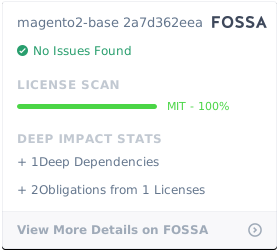
This module contains code from two sources with dual licensing:
Yii2 Framework Helpers (BSD-3-Clause License)
The helper classes (ArrayHelper, Html, Json, VarDumper, ConsoleHelper) are derived from the Yii2 Framework and are licensed under the BSD-3-Clause License.
- Copyright: © 2008 Yii Software LLC
- License: BSD-3-Clause
- License File: See LICENSE-YII for the full license text
- Original Source: https://github.com/yiisoft/yii2
Magento 2 Modifications (MIT License)
Modifications, adaptations for Magento 2 compatibility, and original features (ViewModelRegistry, ViewModelCacheTags, layout debugging, etc.) are licensed under the MIT License.
- Copyright: © 2019-2024 Volodymyr Hryvinskyi
- License: MIT
- License File: See LICENSE for the full license text
Usage Rights
You are free to use, modify, and distribute this module under the terms of both licenses. The BSD-3-Clause license applies to the Yii2-derived code, and the MIT license applies to the Magento 2 adaptations and original features.
Changelog
All notable changes to this project will be documented in this file.
The format is based on Keep a Changelog,
and this project adheres to Semantic Versioning.
[2.2.0] - 2026-09-25
Added
- Admin menu: per-item
resourcekey. An item whose ACL resource the current admin user is not allowed is not
rendered; items withoutresourcebehave as before.hasItems()counts only the items left after the check, so
a menu with no permitted item renders nothing. MenuItemInterface::getResource(): ?string. Custom implementations of the interface must add it.
Changed
- Admin menu items are read with their types checked. An item holding a value of the wrong type is skipped and
logged as a warning instead of failing with aTypeError.MenuItemFactoryInterface::create()documents the
\InvalidArgumentExceptionit throws for such an item. - Boolean item flags (
is_active, the values of aclassmap) accept"true"/"false"/"1"/"0"; the string
"false"no longer counts as true. composer.jsondeclaresphp >=8.1(the code already needs readonly properties),magento/framework ^103.0
andmagento/module-backend ^102.0;module.xmlsequencesMagento_Backend.
Fixed
menu.phtml: the inline style tag is printed through an explicit@noEscapeecho.AddMenuHandleToConfigPagereads the event'sfull_action_nameandlayoutwith their types checked.
[2.1.12] - 2026-06-04
Fixed
- PHP 8.5 compatibility: use explicit nullable type for the
$blockparameter inViewModelRegistry::require()(AbstractBlock $block = null→?AbstractBlock $block = null). Implicitly marking a typed parameter as nullable is deprecated since PHP 8.4 and emits a deprecation notice on PHP 8.5.
[2.1.7] - 2026-02-04
Fixed
- Renamed
$classparameter to$cssClassinMenuItemconstructor to avoid PHP reserved keyword conflict that caused DI compilation failure
[2.1.6] - 2026-02-02
Added
- Admin Menu Component - A reusable dropdown menu block for Magento admin pages
Hryvinskyi\Base\Block\Adminhtml\Menu- Block class with layout XML configuration supportHryvinskyi\Base\Api\Menu\MenuItemInterface- Interface for menu itemsHryvinskyi\Base\Api\Menu\MenuItemFactoryInterface- Factory interface for creating menu itemsHryvinskyi\Base\Model\Menu\MenuItem- Menu item implementation with route-based URL generationHryvinskyi\Base\Model\Menu\MenuItemFactory- Factory for creating menu items from array configurationview/adminhtml/templates/menu.phtml- Admin menu template
- Menu items support:
- Route-based URL generation with parameters
- Sortable items via
sort_order - Custom CSS classes per item
- SVG/HTML icons per item
- Translatable labels
- Active/inactive state
Changed
- Admin CSS styles now include menu component styles in
view/adminhtml/web/css/styles.css
[2.1.5] - Previous Release
Features
- ViewModel Registry (
$viewModels) - Global access to view models in templates - Layout Debugging tools for developer mode
- Yii2 Framework Helpers:
- ArrayHelper - Array manipulation utilities
- Html - HTML generation helper
- Json - JSON encoding/decoding utilities
- VarDumper - Variable dumping for debugging
- ConsoleHelper - ANSI terminal control for CLI commands
| Version | Stability | QA Status | Compatibility | Released |
|---|---|---|---|---|
| 2.2.0 | stable | Fail | Magento 2.4.7-2.4.9 Details | 2026-09-25 03:21:09 |
| 2.1.12 | stable | Fail | Not yet tested Details | 2026-06-04 07:57:01 |
| 2.1.11 | stable | Not tested | Not yet tested Details | 2026-04-17 11:03:25 |
| 1.0.10 | stable | Not tested | Not yet tested Details | 2026-03-25 08:56:55 |
| 2.1.9 | stable | Not tested | Not yet tested Details | 2026-02-17 22:31:55 |
| 2.1.8 | stable | Not tested | Not yet tested Details | 2026-02-17 21:52:38 |
| 2.1.7 | stable | Not tested | Not yet tested Details | 2026-02-03 23:06:10 |
| 2.1.6 | stable | Not tested | Not yet tested Details | 2026-02-03 23:05:47 |
| 2.1.5 | stable | Not tested | Not yet tested Details | 2025-10-06 16:05:41 |
| 2.1.4 | stable | Not tested | Not yet tested Details | 2025-10-06 16:05:23 |
| 2.1.3 | stable | Not tested | Not yet tested Details | 2024-12-17 15:41:53 |
| 2.1.2 | stable | Not tested | Not yet tested Details | 2024-10-17 13:07:42 |
| 2.1.1 | stable | Not tested | Not yet tested Details | 2022-06-09 10:10:23 |
| 2.1.0 | stable | Not tested | Not yet tested Details | 2020-09-07 12:40:32 |
| 2.0.1.1 | stable | Not tested | Not yet tested Details | 2020-01-30 09:31:00 |
| 2.0.1 | stable | Not tested | Not yet tested Details | 2019-04-22 14:43:28 |
| 2.0.0 | stable | Not tested | Not yet tested Details | 2019-03-21 21:39:58 |
| 1.1.2 | stable | Not tested | Not yet tested Details | 2018-09-18 09:10:58 |
| 1.1.1 | stable | Not tested | Not yet tested Details | 2018-03-08 08:21:34 |
| 1.1.0 | stable | Not tested | Not yet tested Details | 2018-01-03 10:04:56 |
| 1.0.2 | stable | Not tested | Not yet tested Details | 2017-12-19 16:46:32 |
| 1.0.1 | stable | Not tested | Not yet tested Details | 2017-11-21 09:37:30 |
| 1.0.0 | stable | Not tested | Not yet tested Details | 2017-11-05 16:25:31 |
| 0.0.1 | stable | Not tested | Not yet tested Details | 2017-07-25 08:03:43 |
Requires 3
| Package | Constraint |
|---|---|
| magento/framework | ^103.0 |
| magento/module-backend | ^102.0 |
| php | >=8.1 |
Compatibility
Each Magento release line is installed on its supported PHP versions, then the module is built (DI compilation + static-content deploy) and its unit and integration suites are run. The matrix shows the lines and PHP versions the module is confirmed to install and run on. Code-quality results further down (phpstan, phpcs, …) are reported separately and never affect compatibility.
Code Quality
Advisory checks against the module's source. Static analysis runs once across the whole module; PHPStan re-runs per Magento + PHP version because resolvable symbols differ between releases. These NEVER affect the Compatibility badge. A phpcs finding can't make a module incompatible.
Static analysis
Coding standards (phpcs), mess detection (phpmd), copy-pasted code (cpd), PHP cross-version compatibility, composer.json validity. Each runs once for the whole module.
| Tool | Status | Findings | Summary |
|---|---|---|---|
| PHPCS | Fail | 2329 | 64 errors, 2265 warnings (ruleset: Magento2), 1963 auto-fixable with phpcbf |
| PHPMD | Warning | 103 | 103 rule violations (MissingImport:42, CyclomaticComplexity:13, IfStatementAssignment:8, TooManyPublicMethods:6, ExcessiveClassComplexity:5) |
| Cpd | Pass | 0 | |
| Composer validate | Info | 1 | valid; 1 advisory note (composer validate --strict) |
PHPStan
Type-checks the module's PHP against a real Magento install at the configured gate level. Re-runs per Magento and PHP version because resolvable symbols differ between releases.
Tests
Unit and integration suites, run for each applicable Magento and PHP version. A test failure speaks to the module's behaviour, not its compatibility with a Magento line, so it is reported here separately and never reddens the compatibility matrix.
Unit tests
Integration tests
| Magento | PHP 8.2 | PHP 8.3 | PHP 8.4 | PHP 8.5 |
|---|---|---|---|---|
| 2.4.7 | N/A | N/A | ||
| 2.4.8 | N/A | N/A | ||
| 2.4.9 | N/A | N/A |
Security
Security checks run directly against the module: an audit of its declared dependencies for known vulnerabilities (composer audit) and a scan of its source for malware and web-shell signatures. Each runs once. A malware detection fails the version outright.
More from hryvinskyi
View vendorTurn an existing module into recurring revenue.
If you already maintain a Magento 2 module on GitHub or GitLab, listing it on Packagento takes about five minutes. We mirror your tags, handle distribution signing, and route paid licenses through Stripe Connect, so you can keep shipping the way you already do.